Tutorial: How to extract and crack ZIP file passwords with zip2john and John the Ripper
2026-02-19 · 2 min read
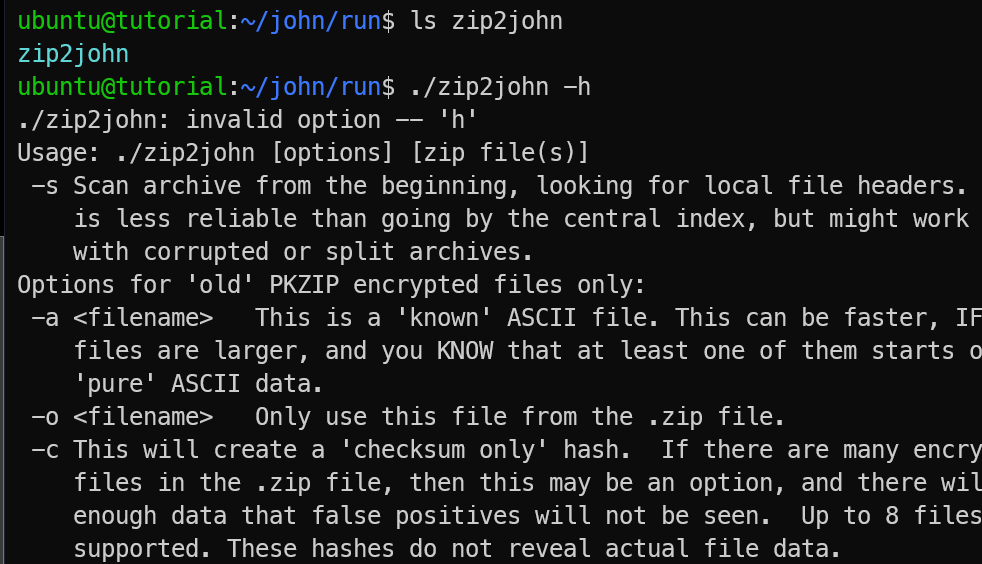
Figure 1: zip2john
Have you ever encountered a password-protected ZIP file and wanted to recover the forgotten password? This is where zip2john becomes useful.
Description
zip2john is a utility included in the John the Ripper password-cracking suite. Its purpose is to extract password hashes from encrypted ZIP archives. Once extracted, these hashes can be tested using offline dictionary or brute-force attacks to recover the original password
How to use
1. Installation and Environment Setup
For the installtion and environment setup, please refer to our John the Ripper Installation Guide as zip2john is part of the John Jumbo package.
2. Basic Command Syntax
The syntax for zip2john is straightforward. The goal is to take the ZIP file as input and save the hash as output.
zip2john protected_file.zip > hash.txt- protected_file.zip: Your target archive.
- > : The redirection operator that "writes" the result to a file.
- hash.txt: The destination file where the crackable hash is stored.
3.Understanding zip2john Output
When you run the command, the output saved in your text file will look like a long string of characters. This is not the password; it is the encryption signature.
A typical ZIP hash starts with a signature like:
$zip2$030... (Standard/Legacy ZIP)
$pkzip$21... (PKZIP format)
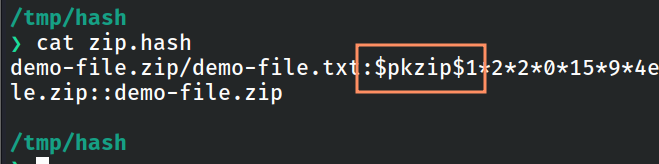
Figure 2: ZIP hash signature
If your ZIP contains multiple files, it will generate a hash for each one. Usually, you only need the first line to crack the entire archive's master password.
4. Step-by-Step ZIP Password Recovery Example
Let's walk through a real-world scenario from creation to recovery.
Step 1: Create a Test Archive
First, create a dummy file and encrypt it with a simple password (e.g., "password"):
bashecho "demodemo" > demo-file.txt zip -e demo-file.zip demo-file.txt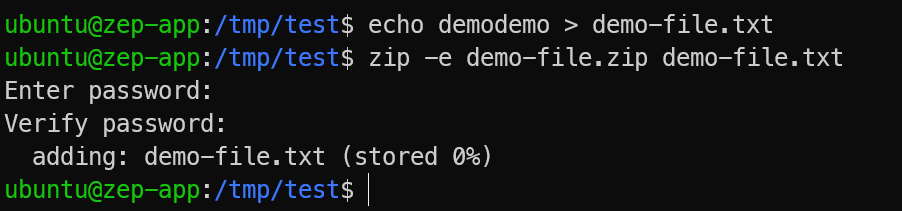
Figure 3: Encrypting ZIP file
Step 2: Extract the Hash
bashzip2john demo-file.zip > zip.hash
Figure 4: Extracting ZIP hash
Now the ZIP password hash is ready for cracking.
Step 3: Identify Supported ZIP Formats
bashjohn --list=formats | grep -i zipThis shows available ZIP-related cracking formats such as PKZIP.
Now compare the hash type in your zip.hash file with the supported formats to ensure compatibility.
bashcat zip.hash
Figure 5: Identifying ZIP hash type
Step 4: Crack the Password Using a Wordlist
Now, use John the Ripper to compare the hash against a wordlist (like the famous rockyou.txt):
bashjohn --format=PKZIP zip.hash --wordlist=/usr/share/wordlists/rockyou.txtJohn the Ripper will attempt passwords from the wordlist until the correct one is found.
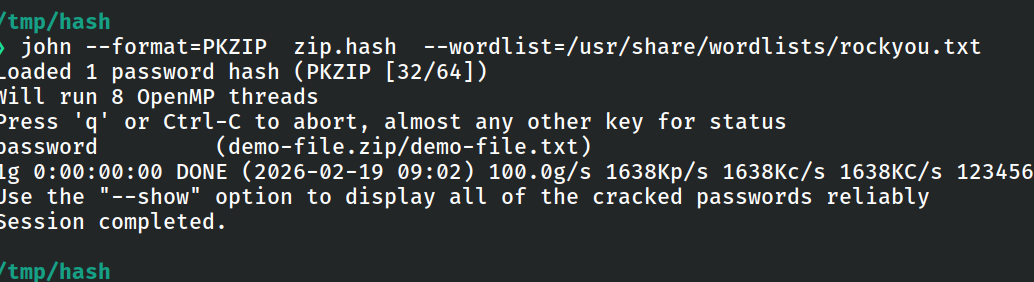
Figure 6: Cracking ZIP password
Extracting ZIP Hashes Online
You can also use an online alternative provided by KeyDecryptor at https://keydecryptor.com/hash-tools/zip2john.
At the moment, this tool supports file upload-based extraction only.
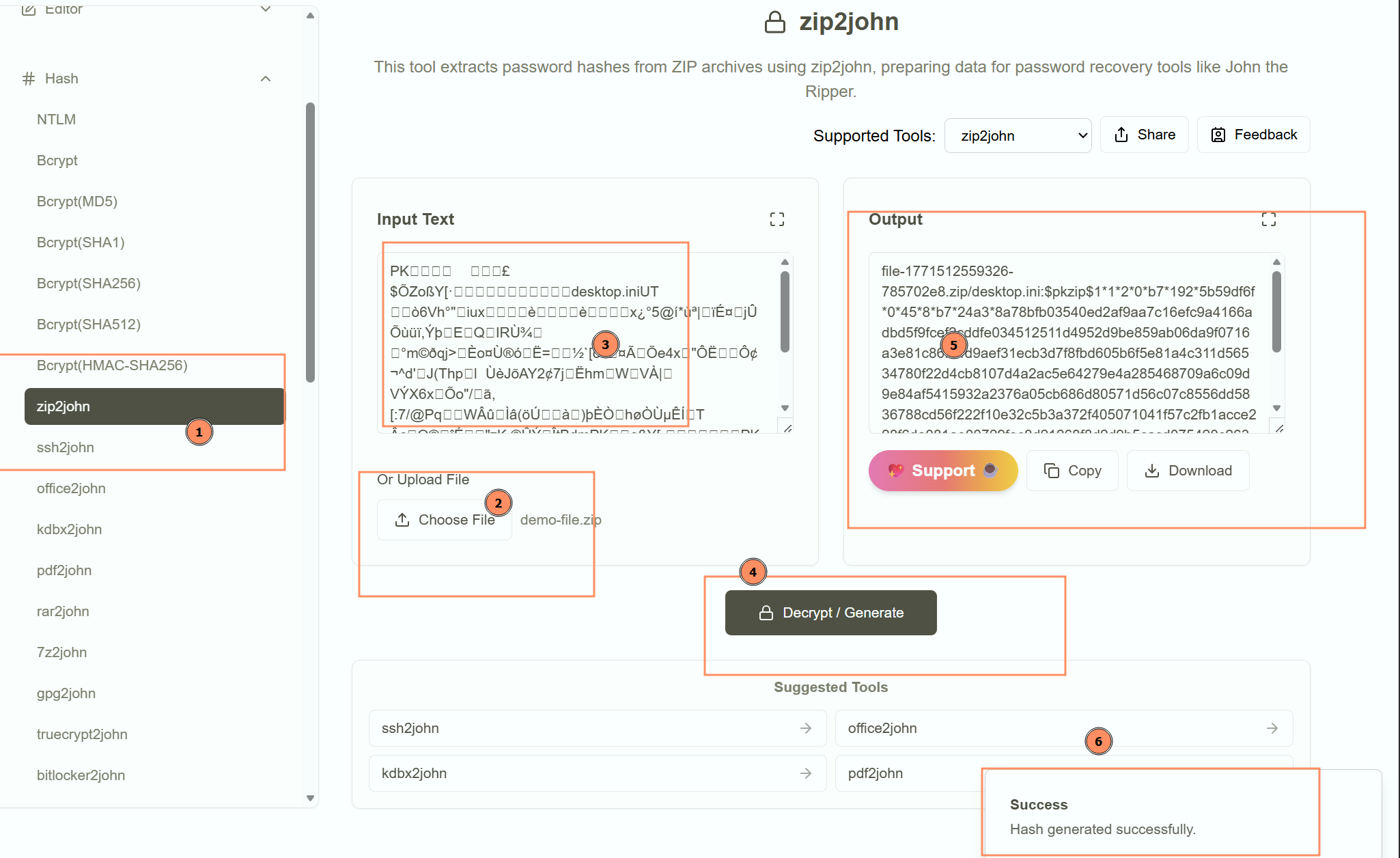
Figure 7: Online ZIP2John tool
References