Extracting PDF Password Hashes with pdf2john: A Step-by-Step Guide
2026-02-22 · 2 min read

Figure 1: pdf2john
Description
Pdf2john is a utility in the "Jumbo" version of John the Ripper that extracts hashes from password-protected PDFs. By converting a file's security into a crackable format, it allows you to recover lost passwords using wordlists or brute-force methods.
How to use
1. Installation and Environment Setup
For the installtion and environment setup, please refer to our John the Ripper Installation Guide as pdf2john is part of the John Jumbo package.
2. Basic Command Syntax
The syntax is quite easy. The goal is to take the pdf file as input and save the hash as output.
pdf2john input.pdf > output.hash- input.pdf: Your target PDF file.
- > : The redirection operator that "writes" the result to a file.
- output.hash: The destination file where the crackable hash is stored.
3. Creating a password protected pdf file
Before we practice cracking a file, let's create a "target" using qpdf, a popular tool for PDF encryption and transformation.
Step 1: Install qpdf
sudo apt install qpdf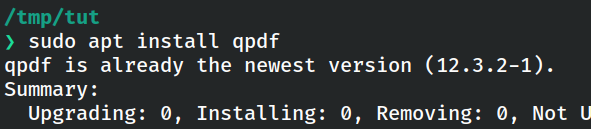
Figure 2: Installing qpdf
Step 2: Encrypt a File
qpdf --encrypt <user-password> <owner-password> 256 -- input.pdf output.pdf- user-password - with a password needed to open the file
- owner-password with a password to restrict editing
For this demo, let's set both passwords to "password".
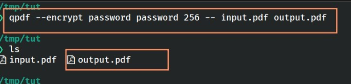
Figure 3: Creating and Verifying the test file
You can then verify it worked by trying to open the file in your browser at file://<path-to-your-file>.
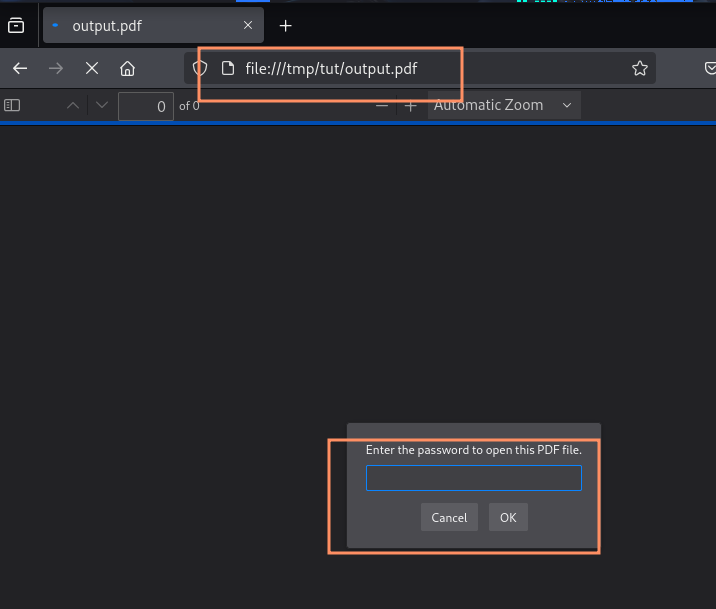
Figure 4: Opening the encrypted PDF file
3. Step-by-Step Guide to Recover the Password
Step 1: Extract the Hash
Run the following command line:
pdf2john output.pdf > pdf.hashYou can then verify it worked by trying to open the file in your browser at file://<path-to-your-file>.
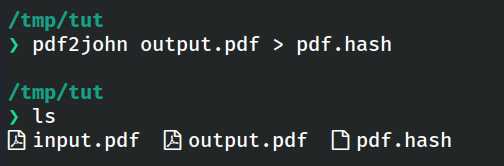
Figure 5: Running pdf2john command
Step 2: Check the hash:
cat pdf.hashThe output should be something like:
output.pdf:$pdf$5*6*....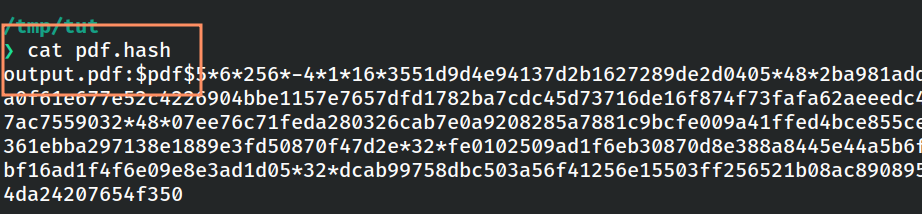
Figure 6: Checking the extracted hash
Step 3: List the format
Check if the pdf format is available or not.
john --list=formats | grep -i pdf
Figure 7: Listing supported PDF formats
Step 4: Crack the PDF Hash with John
Run the following command:
john pdf.hash --wordlist=/usr/share/wordlists/rockyou.txt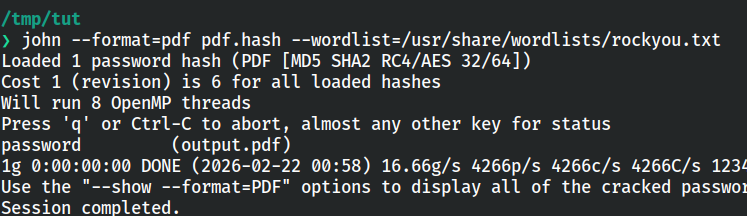
Figure 8: Running John the Ripper on the PDF hash
This will recover the password.
Extracting PDF Hashes Online
If you have problem installing John the Ripper, you can use the online alternative provided by KeyDecryptor at https://keydecryptor.com/hash-tools/pdf2john.
Note: At the moment, this tool supports file upload-based extraction only.
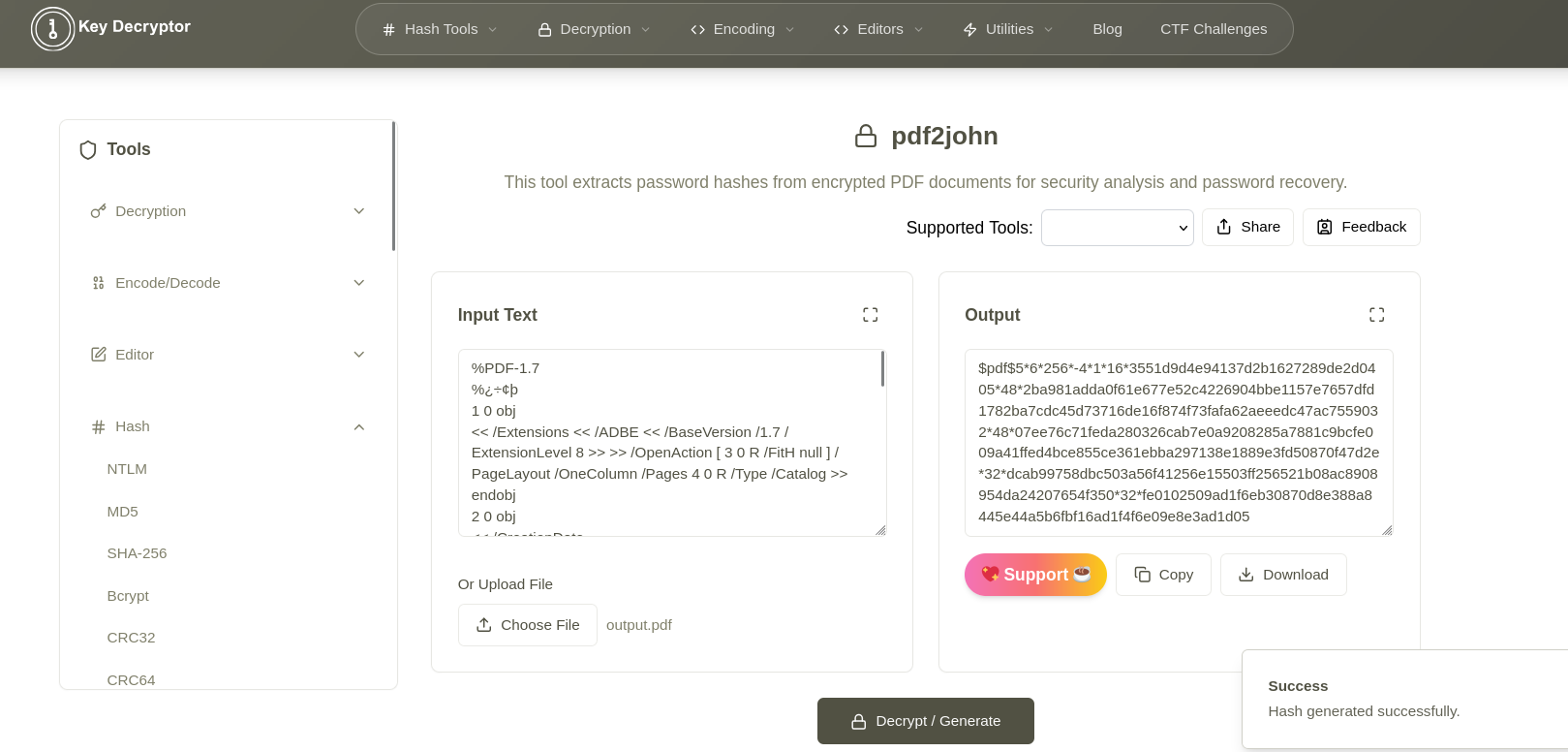
Figure 9: Online PDF2John tool