How to Decode a JWT in Python
2026-06-24 · Updated 2026-06-25 · 6 min read
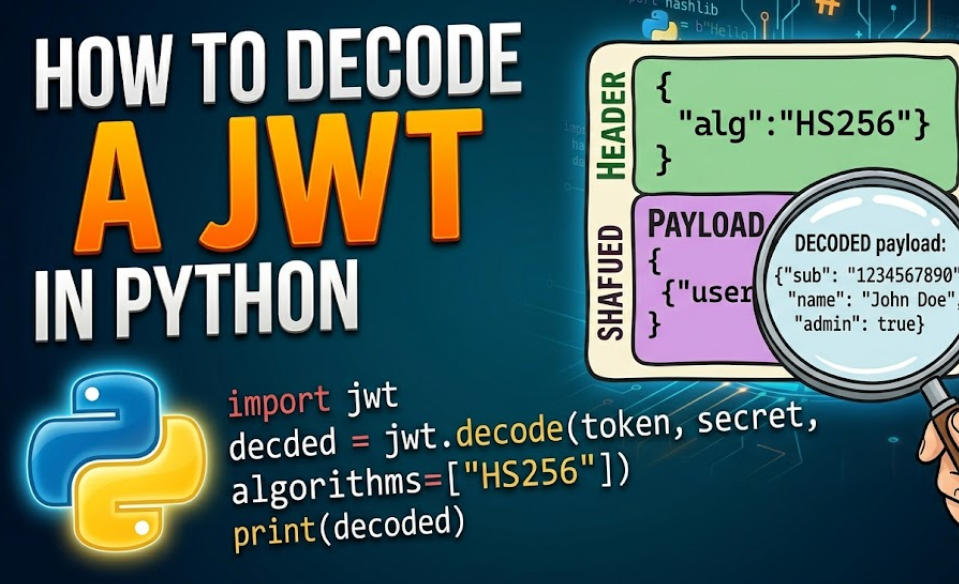
Figure 1: Decoding a JSON Web Token in Python
A JSON Web Token (JWT) is three Base64URL parts joined by dots: header.payload.signature. The header and payload are just Base64URL-encoded JSON, so anyone can read them. This guide shows how to decode them in Python, both without any library and with PyJWT.
Run the examples in the free Python Executor playground.
We will use this sample token throughout:
eyJhbGciOiJIUzI1NiIsInR5cCI6IkpXVCJ9.eyJzdWIiOiIxMjM0NTY3ODkwIiwibmFtZSI6IkFkYSBMb3ZlbGFjZSIsImFkbWluIjp0cnVlLCJpYXQiOjE3MDAwMDAwMDB9.FurzHc1hAqVB2FWuOR3_G1ot2ILbYhyX5QmVgSca_PADecode a JWT without any library
A JWT uses Base64URL, which can drop the = padding, so we restore it before decoding.
import base64, json

def b64url_decode(segment: str) -> bytes:
    padding = "=" * (-len(segment) % 4)      # restore missing padding
    return base64.urlsafe_b64decode(segment + padding)

token = "eyJhbGciOiJIUzI1NiIsInR5cCI6IkpXVCJ9.eyJzdWIiOiIxMjM0NTY3ODkwIiwibmFtZSI6IkFkYSBMb3ZlbGFjZSIsImFkbWluIjp0cnVlLCJpYXQiOjE3MDAwMDAwMDB9.FurzHc1hAqVB2FWuOR3_G1ot2ILbYhyX5QmVgSca_PA"

header_b64, payload_b64, signature_b64 = token.split(".")

header = json.loads(b64url_decode(header_b64))
payload = json.loads(b64url_decode(payload_b64))

print(header)    # {'alg': 'HS256', 'typ': 'JWT'}
print(payload)   # {'sub': '1234567890', 'name': 'Ada Lovelace', 'admin': True, 'iat': 1700000000}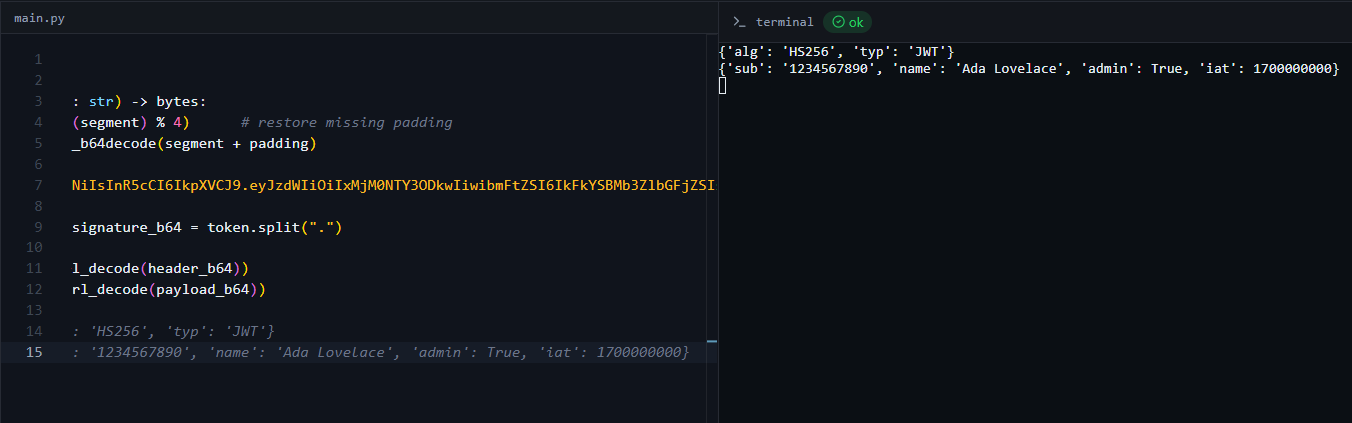
Figure 2: The decoded header and payload in the online compiler
That is all "decoding" a JWT means: reading the header and payload. It tells you nothing about whether the token is genuine.
Decode with PyJWT
The PyJWT library is the standard choice. Install it with pip install pyjwt.
import jwt

token = "eyJhbGciOiJIUzI1NiIsInR5cCI6IkpXVCJ9.eyJzdWIiOiIxMjM0NTY3ODkwIiwibmFtZSI6IkFkYSBMb3ZlbGFjZSIsImFkbWluIjp0cnVlLCJpYXQiOjE3MDAwMDAwMDB9.FurzHc1hAqVB2FWuOR3_G1ot2ILbYhyX5QmVgSca_PA"

# Read the claims WITHOUT checking the signature
claims = jwt.decode(token, options={"verify_signature": False})
print(claims)   # {'sub': '1234567890', 'name': 'Ada Lovelace', 'admin': True, 'iat': 1700000000}
Decoding is not verifying
This is the part that trips people up. Reading the payload does not prove the token is real. An attacker can change the payload and re-encode it. To trust a token you must verify its signature with the secret (HS256) or public key (RS256).
import jwt

token = "eyJhbGciOiJIUzI1NiIsInR5cCI6IkpXVCJ9.eyJzdWIiOiIxMjM0NTY3ODkwIiwibmFtZSI6IkFkYSBMb3ZlbGFjZSIsImFkbWluIjp0cnVlLCJpYXQiOjE3MDAwMDAwMDB9.FurzHc1hAqVB2FWuOR3_G1ot2ILbYhyX5QmVgSca_PA"

try:
    verified = jwt.decode(token, "my-secret-key", algorithms=["HS256"])
    print("Valid token:", verified)
except jwt.InvalidTokenError as e:
    print("Rejected:", e)
With the correct secret (my-secret-key) this prints the claims. Change one character of the token or use the wrong secret and PyJWT raises InvalidSignatureError. Always pass algorithms=[...] explicitly so an attacker cannot downgrade the token to alg: none.
Quick reference
| Goal | Code |
|---|---|
| Read claims, no checks | jwt.decode(token, options={"verify_signature": False}) |
| Verify HS256 | jwt.decode(token, secret, algorithms=["HS256"]) |
| Verify RS256 | jwt.decode(token, public_key, algorithms=["RS256"]) |
Decode a JWT online (no code)
To inspect a token instantly, paste it into the KeyDecryptor JWT Decoder. It shows the header, payload and signature in your browser, nothing is uploaded.
Frequently Asked Questions
Is a JWT encrypted?
No. A standard JWT is Base64URL-encoded, not encrypted. Anyone can read the header and payload. The signature only proves the token was not tampered with; it does not hide the contents.
Why do I get an "Incorrect padding" error decoding the payload?
Base64URL often omits = padding. Restore it before decoding with segment += "=" * (-len(segment) % 4), as in the manual example.
What is the difference between decoding and verifying a JWT?
Decoding just reads the Base64URL payload. Verifying checks the signature against a secret or public key to prove the token is authentic and unmodified. Never trust a decoded payload you have not verified.
Do I need PyJWT to read a JWT?
No. You can split on . and Base64URL-decode the parts with the standard library. PyJWT is recommended when you also need to verify signatures and validate claims like exp.
Why should I pass the algorithms argument?
To prevent algorithm-confusion and alg: none attacks. Pinning algorithms=["HS256"] (or whatever you expect) stops an attacker from changing how the token is verified.