How to Decode HeidiSQL Stored Passwords: A Step-by-Step Guide
2026-03-01 · 2 min read
Figure 1: HeidiSQL Password Recovery Tutorial
Description
HeidiSQL is a popular open-source administration tool for MySQL, MariaDB, and PostgreSQL. While it offers a convenient way to manage databases, users should be aware of how it handles session security (specifically how it stores passwords).
In this blog post, we will explore how HeidiSQL encodes passwords in its settings files and how that encoding can be easily reversed.
Download HeidiSQL
Get the latest version from it's official site.
Link: https://www.heidisql.com/download.php
Recovering HeidiSQL Connection Passwords
We will cover two methods to recover stored passwords from HeidiSQL:
- a code based approach
- an online GUI-based tool
Before we start this demo, let's first create a test connection in HeidiSQL to generate the encrypted credentials file.
Step 1: Creating a Test Session
It allows you to create a new session with different network types, such as MariaDB, ProxySQL, PostgreSQL, Microsoft SQL Server, etc.
- At the bottom left, click on New -> Session in root folder.
- For the demo, set the password as rootpassword.
- Leave the other settings as they are.
- Click Save.
- Try to open the session. The connection may fail because no database server is running (no setup is required).
You do not actually need to connect to a live database for this demonstration because we only need the entry stored in the configuration.
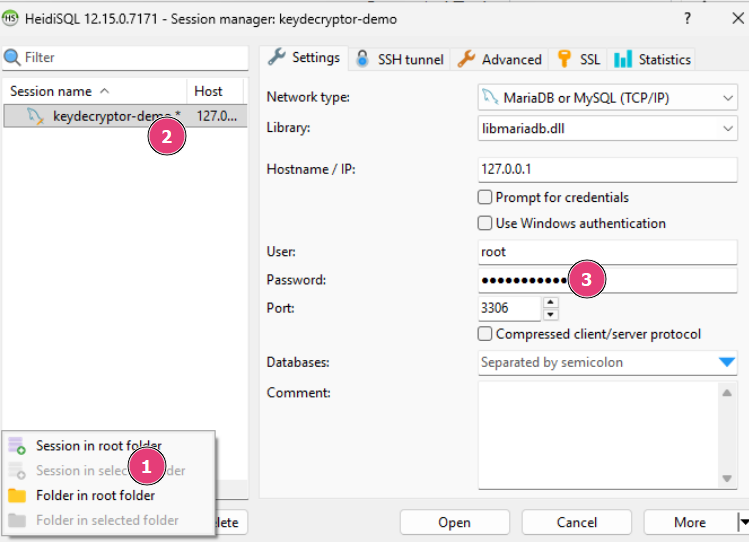
Figure 2: Creating a new test session

Figure 3: Saving the new database connection
We have sucessfully created a new database session.
Step 2: Exporting the settings file
After creating a session, we can export the settings file. This file contains all the database settings, encoded passwords, etc.
To export the settings, follow these steps:
- At the bottom right, click on More.
- Then click on the Export Settings File... option.
- Provide a file name and save it to the desired location.
- Open the saved file and search for the keyword "password".
- The encoded password will be located there.

Figure 4: More options in HeidiSQL
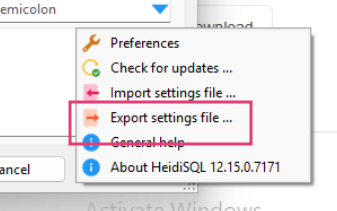
Figure 5: Exporting settings file in HeidiSQL
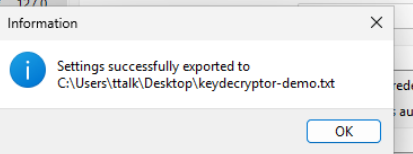
Figure 6: Exported settings file in HeidiSQL
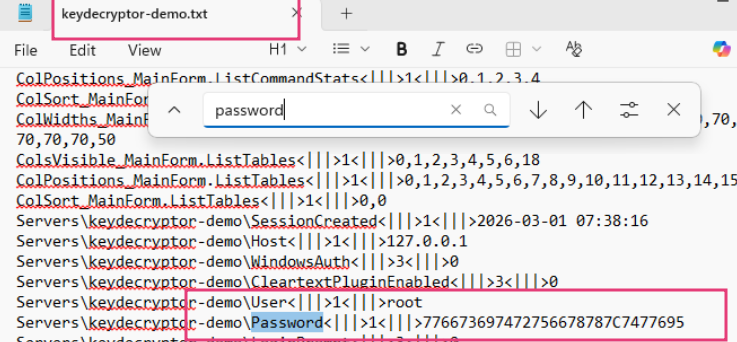
Figure 7: Extracted password from exported settings file
We have the encoded password for our test session: 776673697472756678787C7477695
Step 3: Understanding decryption
It is important to note that HeidiSQL does not use true encryption (like AES) for these passwords. Instead, it uses a simple Shift Cipher (a variation of the Caesar Cipher) based on Hex values.
The Logic:
- The Shift Key: The very last character of the hex string is the "Shift Value."
- Data Prep: Remove that last character. The remaining string consists of two-character hex pairs.
- The Math: For every hex pair, convert it to a decimal integer and subtract the Shift Value.
The Result: Convert that new integer back into an ASCII character.
Demo Code In Python:
def heidi_decode(hex_string: str) -> str:
    # 1. Extract the shift value (the last digit)
    shift = int(hex_string[-1])

    # 2. Clean the string by removing the last character
    clean_hex = hex_string[:-1]

    # 3. Iterate through hex pairs and subtract the shift
    decoded_chars = []
    for i in range(0, len(clean_hex), 2):
        hex_pair = clean_hex[i:i+2]
        # Convert hex to int, subtract shift, then to ASCII
        plain_char = chr(int(hex_pair, 16) - shift)
        decoded_chars.append(plain_char)

    return ''.join(decoded_chars)
Step 4: Decoding HeidiSQL Password
Save the Python code above on your local machine, or run it using an online compiler:
https://keydecryptor.com/misc-tools/compiler
We have recovered the decoded password for 776673697472756678787C7477695: randompassword
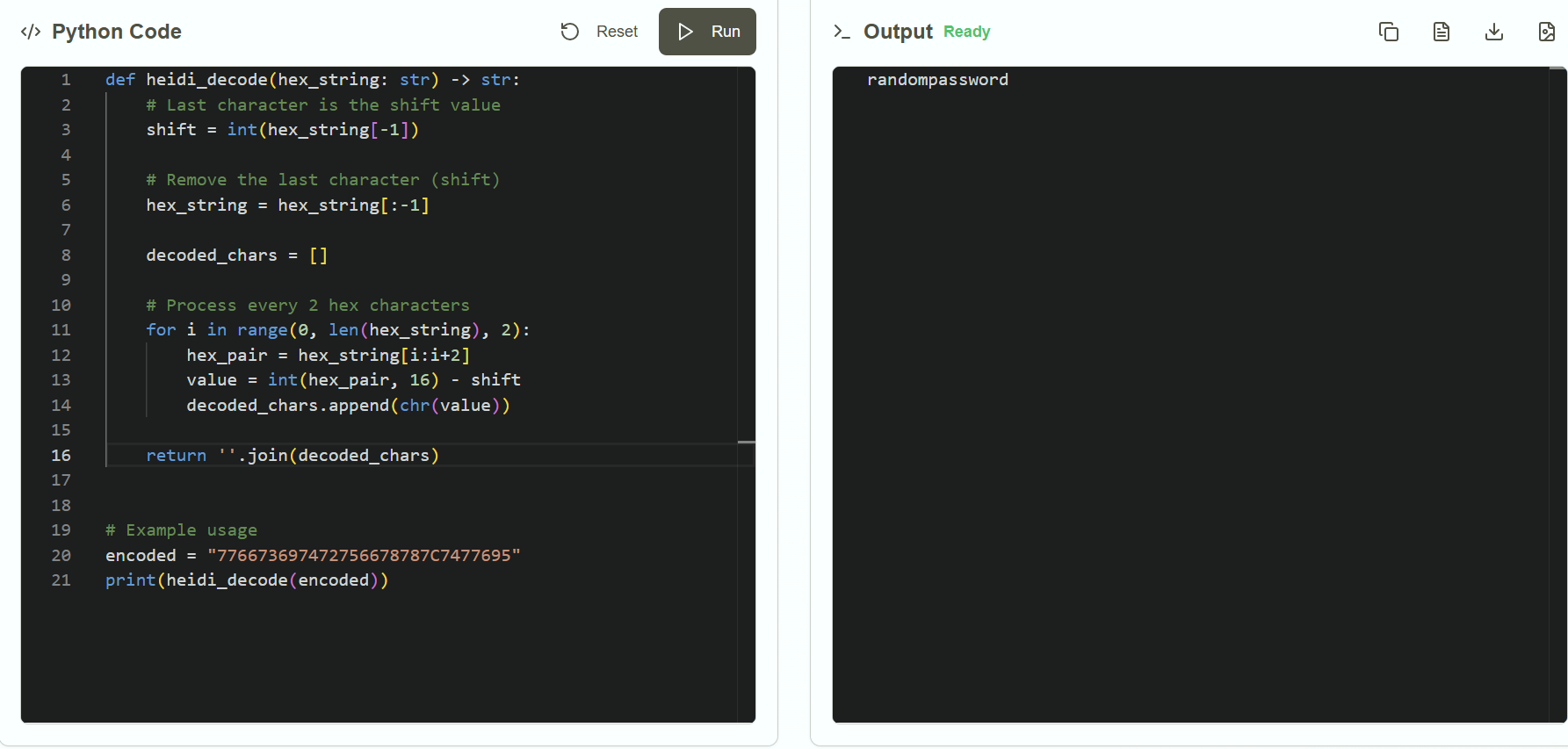
Figure 8: Running the decoding code to recover the password
Step 5: Online Alternative for Decoding HeidiSQL Passwords
If you have problem running the code, you can use the online alternative provided by KeyDecryptor at https://keydecryptor.com/decryption-tools/heidisql
Just enter the encoded password and click on Decrypt Password button to get the original password.
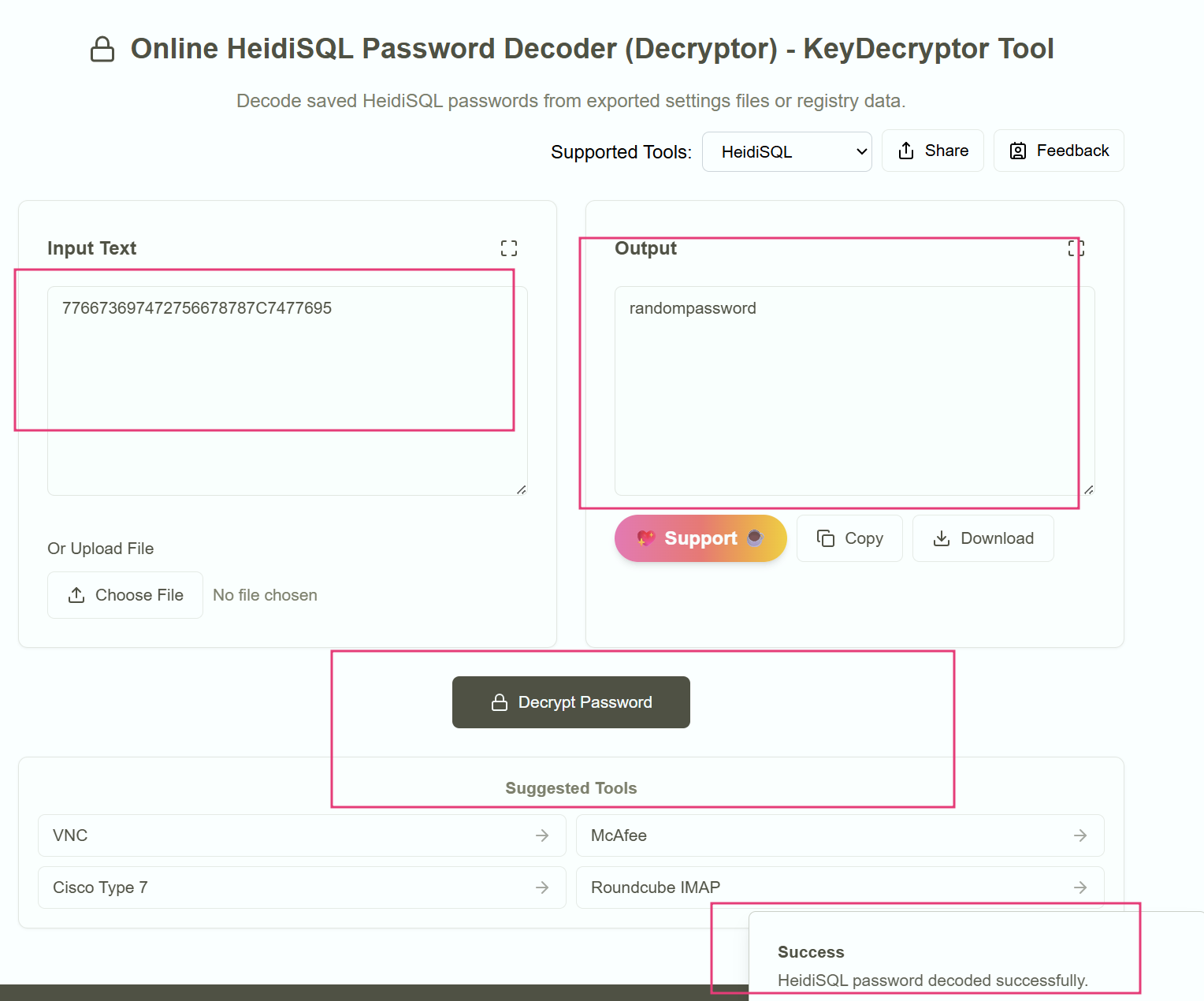
Figure 9: Online HeidiSQL Password Recovery tool